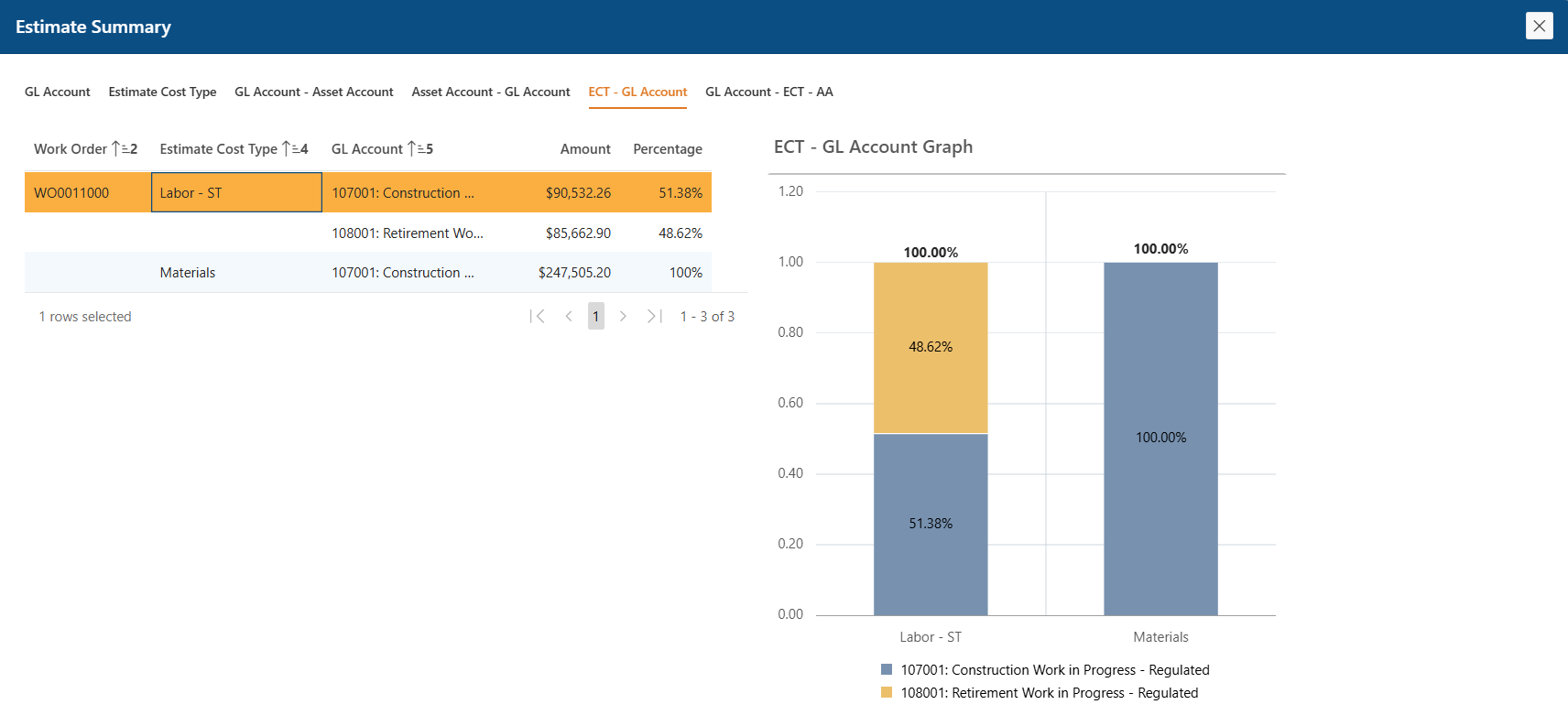
Capital / Removal Splits
View your work order estimates across multiple dimensions — Cost Type and GL Account, to monitor your automated accounting. Details summarized instantly, so the picture is obvious before anyone asks.
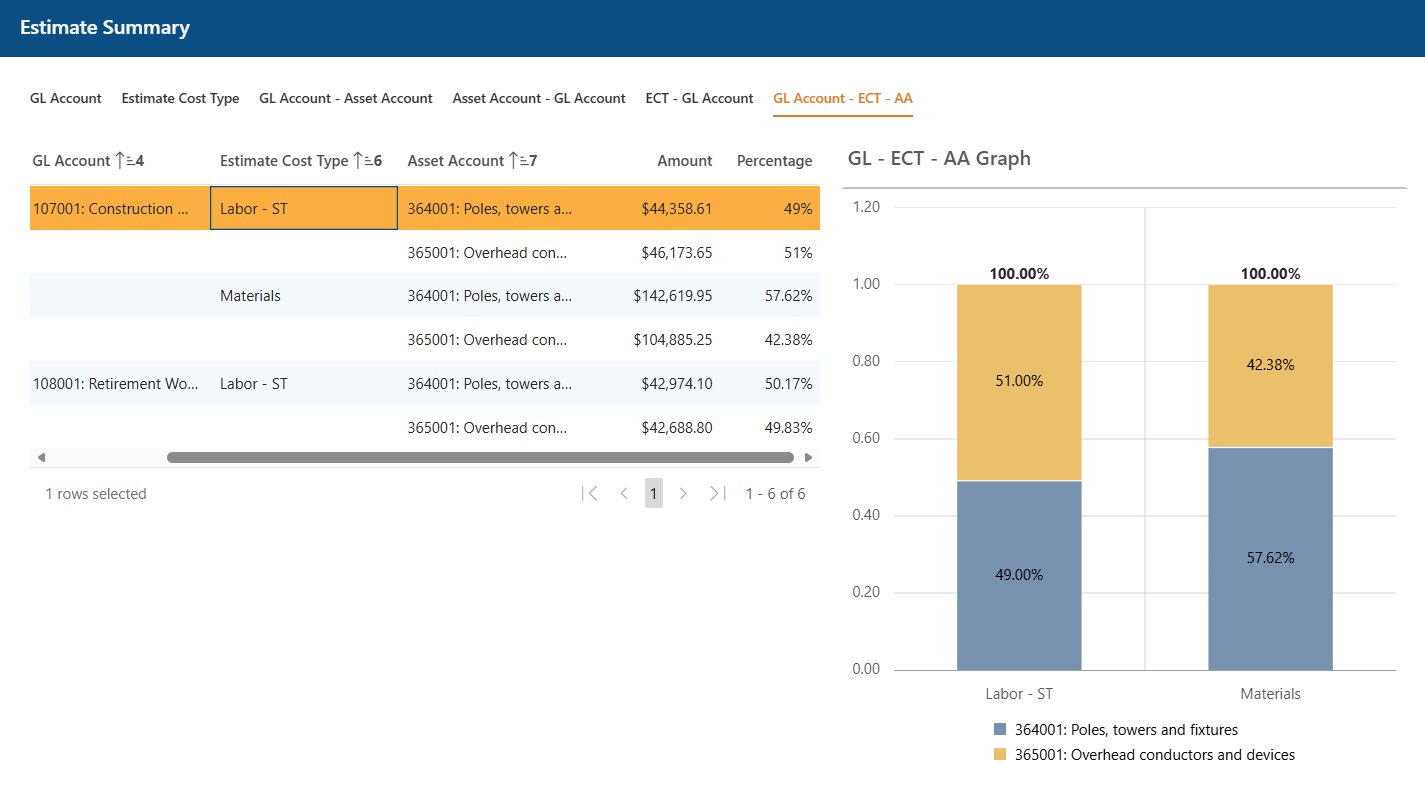
Asset-level Estimate Breakdown
Pivot the same estimate data across GL Account, Cost Type, and Asset Account in one click. Visualize the effect on CCNC, Unitization and RWIP processing. Prove out the numbers before they hit the close.
Calculations and Error Handling
All calculation results are saved, auditable, and easily accessible historically. From the calculation screen, users can drill into a work order to view related processes, logs, and any associated errors.
All processing against a work order can be located in a single screen and not dispersed throughout the system. Errors can be identified easily - no digging through job queues or spreadsheets. The error is surfaced with the message, the type of transaction and the step that produced it.
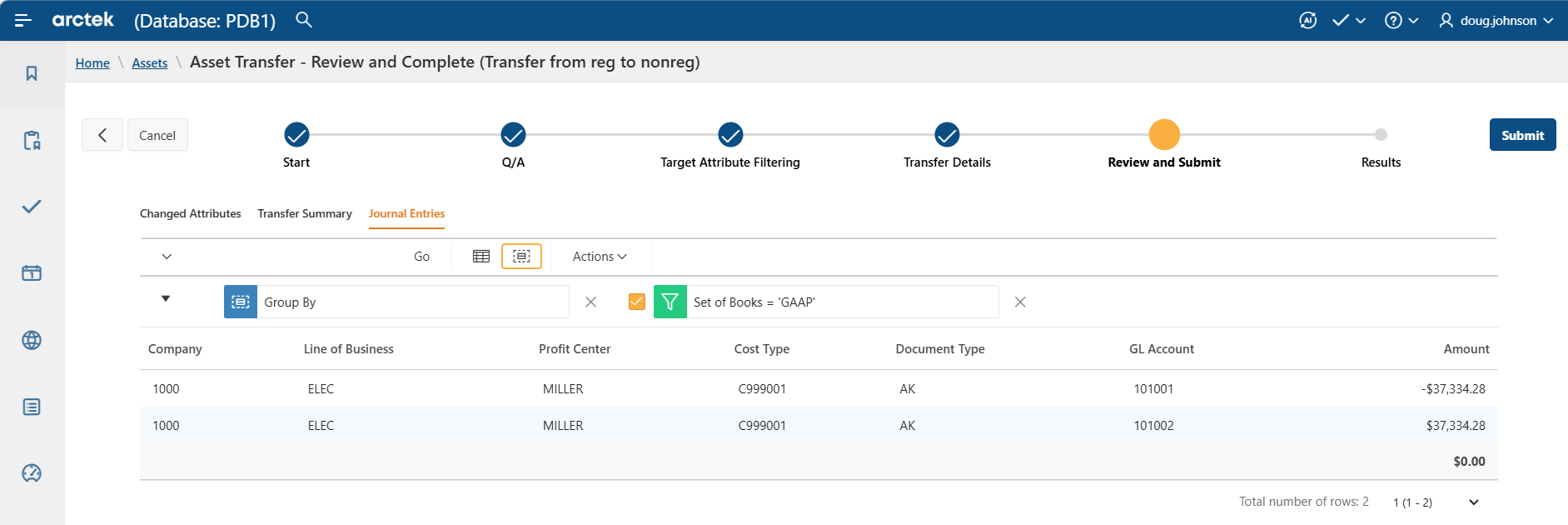
Journal Entry Review
Review every journal entry before it posts — balancing, code block values, and the net impact, all visible in one place. Catch the issue here, not in the GL.